10 Best 3D Scanners 2026 in the United States

Related Products
Up to 9% off



Our technology thoroughly searches through the online shopping world, reviewing hundreds of sites. We then process and analyze this information, updating in real-time to bring you the latest top-rated products. This way, you always get the best and most current options available.

Our Top Picks
Winner
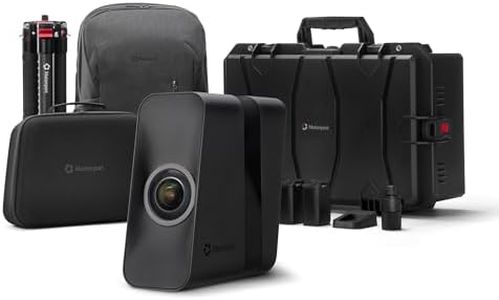
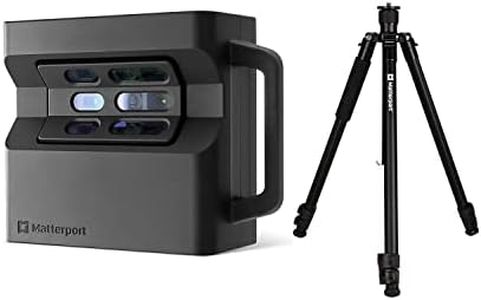
Matterport Pro3 3D Lidar Scanner Digital Camera Performance Kit for Professional 3D Virtual Tours 360 4K Photography Indoor Outdoor Scanning for Construction Engineering
The Matterport Pro3 is a professional-grade 3D Lidar scanner designed for capturing large spaces with impressive detail and speed. Its standout feature is the ultra-fast LiDAR sensor capable of taking 100,000 points per second, delivering a precision of ±20 millimeters at 10 meters—good accuracy for construction, architecture, and real estate projects. The scanner covers an extended range up to 100 meters, which is excellent for large indoor and outdoor areas like warehouses or landmarks. Scanning speed is notable too, with each sweep taking less than 20 seconds, allowing quick data collection without sacrificing quality.
Portability is well addressed, with the Pro3 Performance Kit including a professional tripod, removable batteries (two included for continuous use), and a backpack, making it practical to use on site or in the field. However, the scanner relies on Matterport’s subscription-based software to unlock premium features such as advanced measurements and 4K photos, which means additional ongoing costs and limited functionality without the paid plan. Ease of use is supported by the app on iOS or Android, but the requirement for a paid subscription might complicate access for some users.
The Matterport Pro3 is a strong option for professionals needing fast, accurate, and detailed 3D scans of large spaces, though budget-conscious users should consider the software fees and ensure the workflow fits their needs.
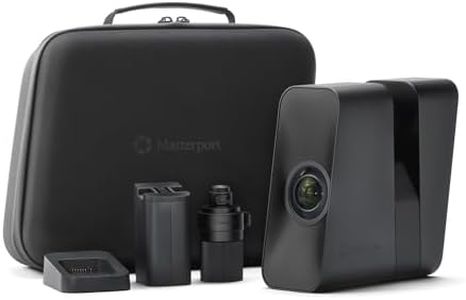
Matterport Pro3 3D Lidar Scanner Digital Camera for Creating Professional 3D Virtual Tour Experiences with 360 Views and 4K Photography for Indoor and Outdoor Spaces with Trusted Accuracy
Most important from
24 reviews
The Matterport Pro3 is a high-end 3D scanner designed to create detailed virtual tours with photo-realistic quality, making it a strong choice for professionals needing accurate and visually rich models. Its standout feature is the ultra-fast Lidar sensor that captures millions of points per scan, delivering high precision with accuracy around +/- 20mm at 10 meters. This makes it reliable for large-scale projects that require detailed spatial data. Scan speed is impressive, completing sweeps in under 20 seconds, which helps save time on site, especially in large or complex spaces.
The extended scanning range of up to 100 meters (available in specific file formats) exceeds what many scanners offer, making it versatile for scanning both indoors and sizable outdoor landmarks. Portability is decent; while it weighs about 4.8 pounds and is moderately sized, its removable battery supports continuous use without interruption—beneficial for long sessions away from power sources.
Software-wise, the Pro3 requires a Matterport subscription to unlock its full capabilities and to manage scans via the Capture app on iOS or Android, which might add ongoing costs and could be a limitation for casual users. It is relatively easy to operate considering its advanced tech, with manual controls allowing flexibility, but the need for compatible software and some accessories sold separately (like a tripod) means beginners might face a learning curve and additional expenses. The Matterport Pro3 excels at delivering fast, accurate, and high-resolution 3D scans with professional-grade software support, making it particularly suitable for real estate, architecture, and large-space documentation, though it’s less ideal for casual or budget-conscious users due to its cost and software requirements.
Most important from
24 reviews
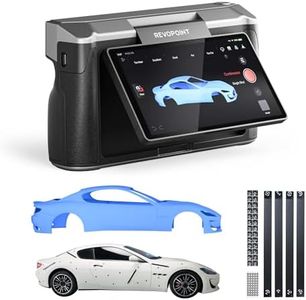
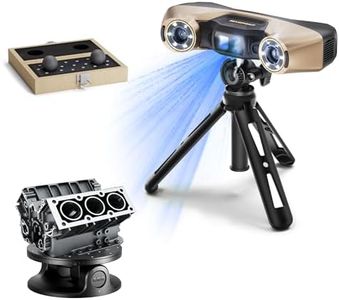
Revopoint MIRACO Plus 3D Scanner for 3D Printing Handheld, 3D Printer Scanner with Photogrammetry, Up to 0.02mm Precision, Full-Color Scan for Small to Large Objects, 32GB RAM
Most important from
39 reviews
The Revopoint MIRACO Plus is a versatile 3D scanner designed to handle small to large objects with impressive precision and color accuracy. It offers a very fine measurement accuracy of up to 0.02 mm, supported by photogrammetric metrology and coded targets that help capture detailed measurements even on complex surfaces. Its quad depth camera system adds flexibility by allowing scans of tiny parts or large machinery with modes optimized for different distances. The 48MP RGB camera combined with infrared laser technology ensures high-quality, full-color scans that look lifelike.
In terms of speed, the scanner can operate in a precise single-shot mode or a faster continuous mode capturing up to 20 frames per second, which makes it efficient for various scanning tasks. Portability is a strong point here, as the device weighs just 750 grams, is handheld-friendly, and has a 2-hour battery life with quick charging, making it suitable for scanning on the go.
The MIRACO Plus comes with powerful internal hardware, including an 8-core processor and 32GB RAM, enabling smooth handling of large scan files and up to 10,000 frames without lag. It supports multiple popular file formats and is compatible with both Windows and Mac systems, easing integration into different workflows. The included software is user-friendly and supports comprehensive functions like scanning, editing, merging, and converting scans into CAD models, which benefits both beginners and professionals.
The scanner’s resolution is 2 megapixels, which, while sufficient for many applications, might not match the ultra-high resolutions of some specialized scanners. The device is relatively compact but requires some familiarity with photogrammetric targets and calibration boards for the highest accuracy, which could have a slight learning curve.
The Revopoint MIRACO Plus is a strong choice for users needing detailed, color-accurate 3D scans across different object sizes, especially suited for 3D printing, reverse engineering, and design work. Its portability and software support make it accessible, though those needing ultra-high resolution or scanning very large objects should consider these factors carefully.
Most important from
39 reviews
Buying Guide for the Best 3D Scanners
Choosing the right 3D scanner can be a game-changer for your projects, whether you're into product design, quality control, or even art and heritage preservation. The key to finding the best fit for you is understanding the different specifications and how they align with your specific needs. Here are some important specs to consider when selecting a 3D scanner.FAQ
Most Popular Categories Right Now


